USE COMPUTE
Use Gonka
AI on the Gonka network, from an app on your own computer
The Gonka network runs large AI models across the GPUs people host on it. Getting at them used to mean finding a service, working out what it charges and wiring it up yourself. Use Gonka is a part of The Gonka Network Onboarding Tool that does all of that in one place: pick a service, paste the key it gives you, and you are talking to the models running on Gonka.
Every service in one place
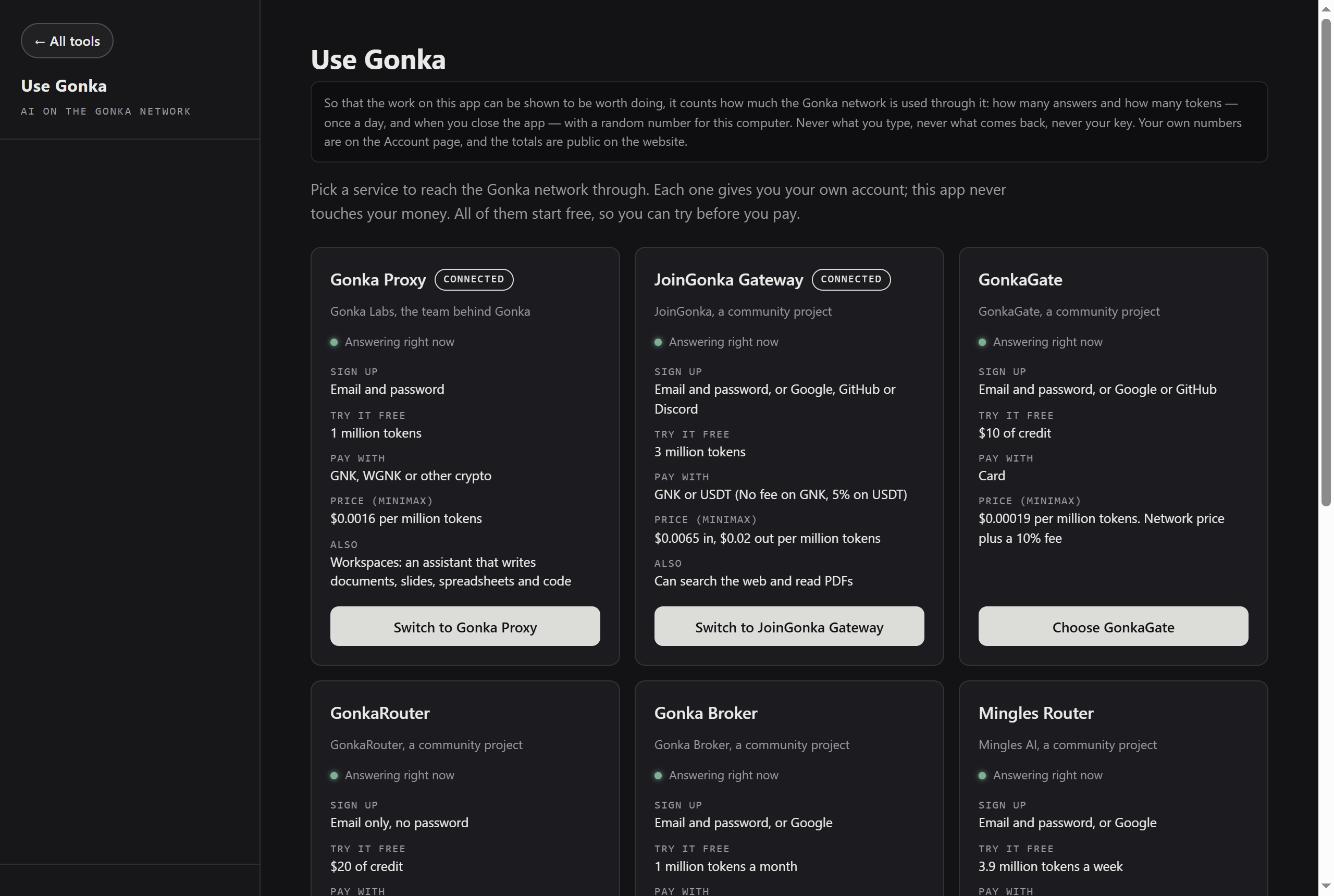
The major independent services we could find sell access to the Gonka network, and they all describe themselves differently. The app lists them side by side and says the same four things about each one: how you sign up, what you get to start with, what they take as payment, and what they charge. It checks which ones are answering right now, and marks none of them as recommended — the choice is yours.
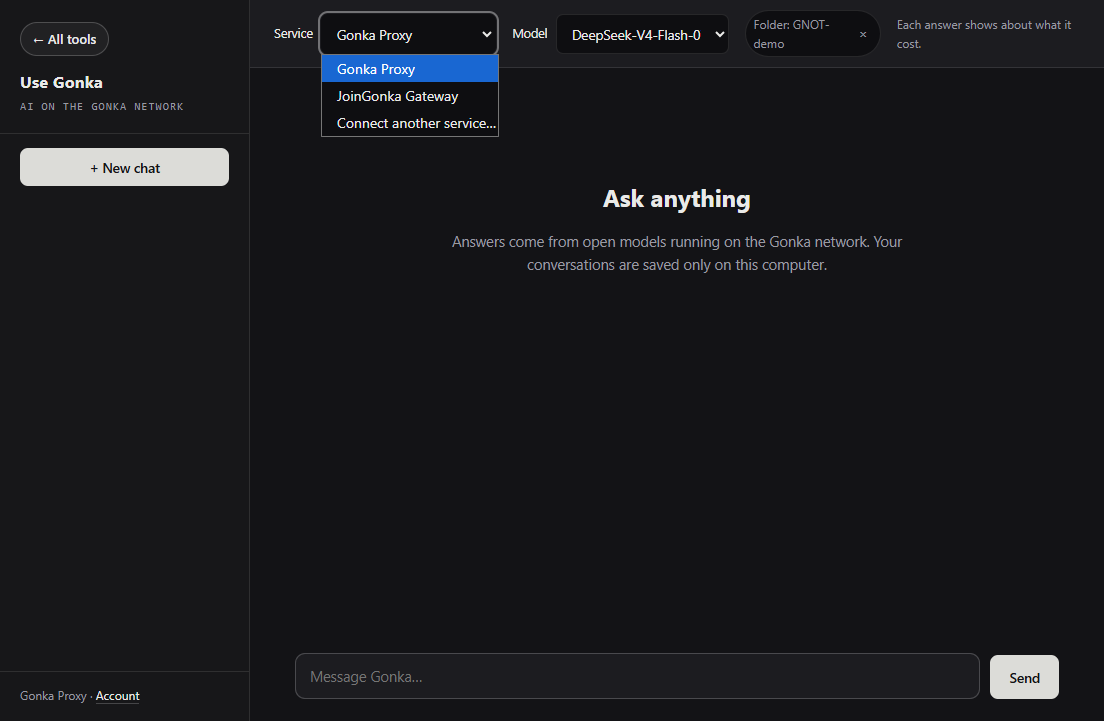
Connect more than one and switch between them on the same screen, without pasting a key again. The app never touches your money: your account is with the service, not with us.
Every model the network runs
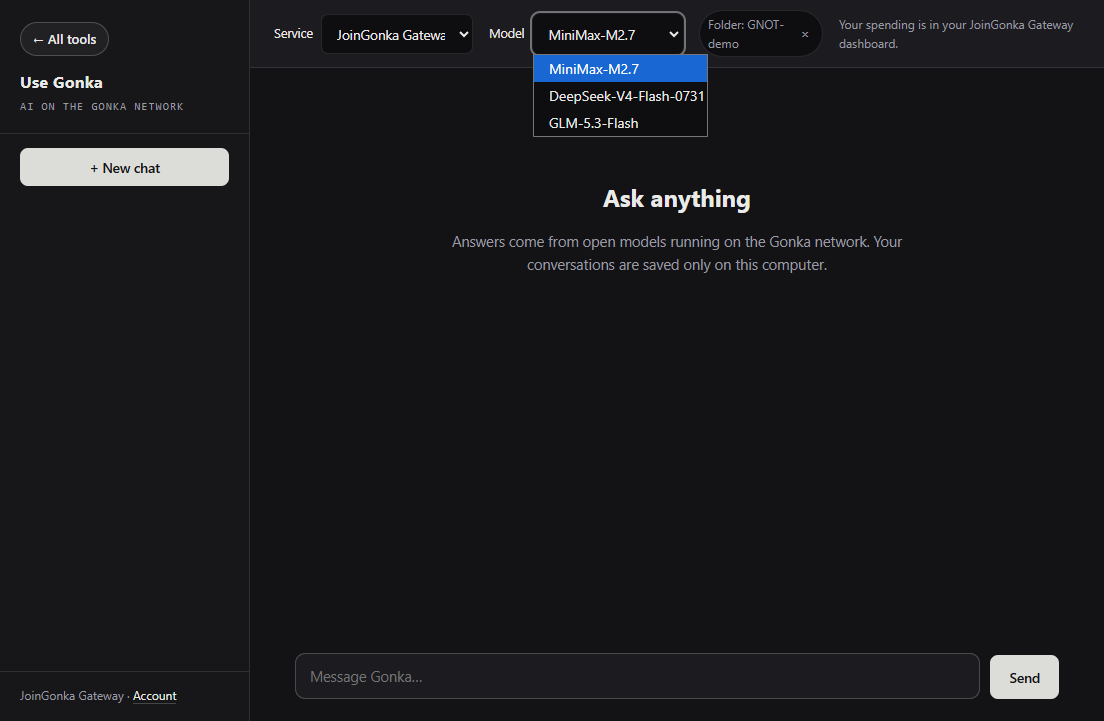
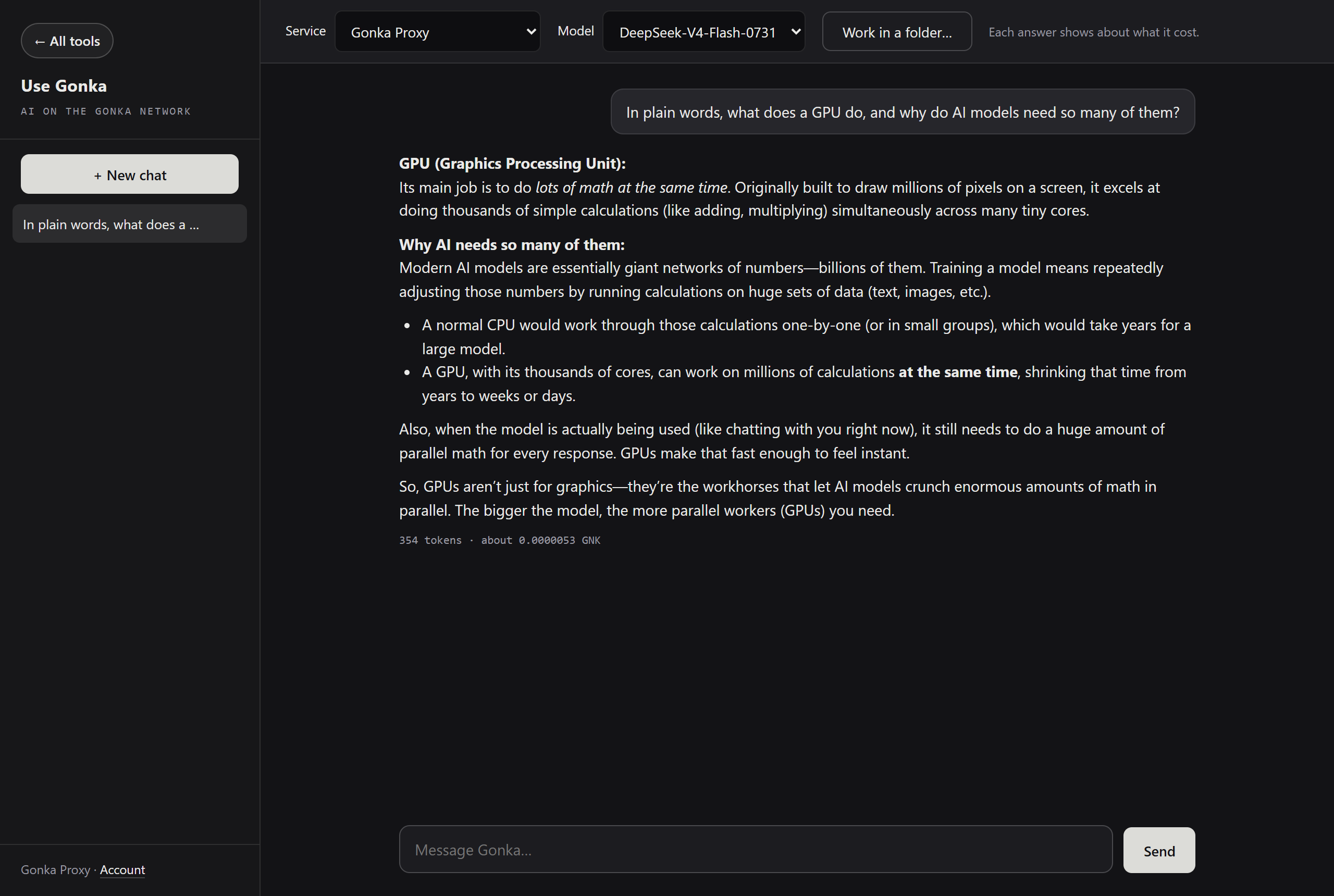
The model list comes from the network itself, so it is whatever the network is running today — and the app leaves out models the network has stopped paying for, so you are never shown something that no longer works. Switch model in the drop-down beside the service. Each answer shows roughly what it cost, in GNK.
It can work in a folder on your computer
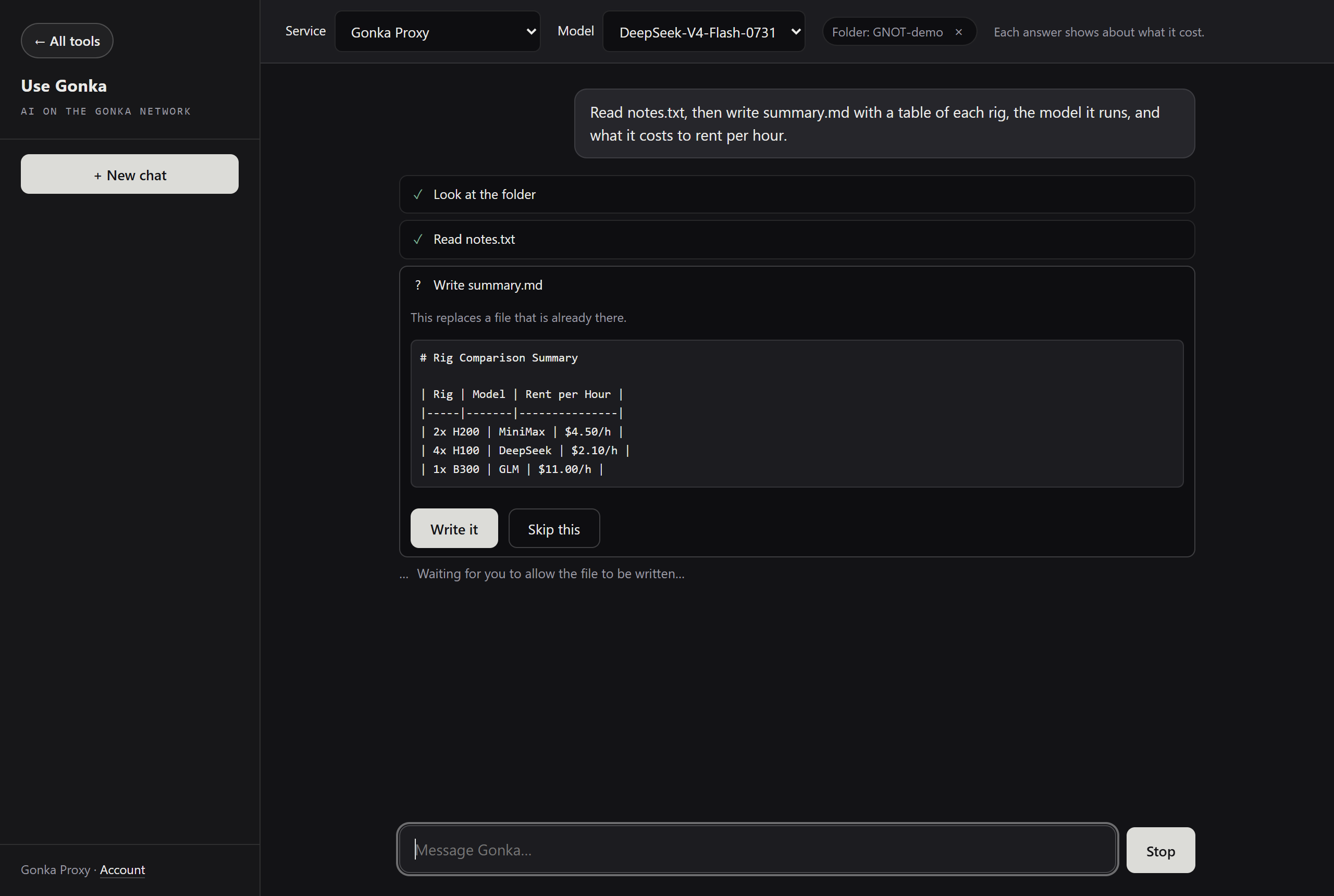
Give it a folder and it works in that folder: it reads the files that are there, writes new ones, and before every single write it stops and shows you exactly what it is about to write, and where. Nothing is written until you say yes.
The folder is the permission. It cannot see, read or touch anything outside the folder you picked — not a parent folder, not another drive, not through a shortcut pointing out of it.
And it works through whichever service you chose. Some services do offer an assistant of their own — Gonka Proxy has one — but it runs in their cloud and works only with them. What you will not find anywhere else is this: all the major services in one place, and the same assistant working in your folder through any of them, including the ones that offer nothing of the kind themselves. The service you pay for is a choice you can change, not something you are tied to.
An ordinary chat, too
Without a folder it is simply a chat with the models on Gonka — and it says so plainly rather than pretending it can reach your files.
Your key, your account, your conversations
There is no account to make with us, and nothing to sign up for. Your key is encrypted and kept on your computer, your conversations are saved on your computer, and neither ever reaches us.
What we do count is how much of the Gonka network goes through the app: how many answers and how many tokens, once a day and when you close it, with a random number standing for that computer. Never what you type, never what comes back, never your key. The totals are public.
What it will not do
It cannot read pictures, PDFs, Word or Excel files. No model on the Gonka network can look at an image yet, and the app says so instead of guessing at what is in the file.
It does not run commands on your computer. It reads and writes text files in the folder you picked, and nothing else.
How to get it
Use Gonka is part of The Gonka Network Onboarding Tool, the same app that sets up a node. Windows and Mac, one line to install, and it keeps itself up to date. The app speaks eleven languages.
Install it →